Object Instructions
As mentioned before, properties can be modified via instructions that affect objects according to the three.js documentation.
All objects share a common set of basic properties described in the following, while additional properties specific to certain object types are described in their respective sections.
Basic properties
All objects have a set of basic properties that can be updated via instructions:
position: The new absolute position of the object with respect to the world origin or its parent.rotation: The new absolute rotation (Euler XYZ in radians) of the object with respect to the world origin or its parent.quaternion: The new absolute quaternion (XYZW) of the object with respect to the world origin or its parent.scale: The absolute scale of the object.visible: The visibility of the object.parent: Attaches an object to a parent. Setting the parent to None detaches the object from its current parent.
Note
All objects also have a material property that can be updated dynamically.
However, material characteristics depend on the object type, therefore material instructions
are described in the respective object sections.
Position
This instruction updates the position of the object.
The Cartesian position values x, y and z can be updated individually or all together (xyz).
Example:
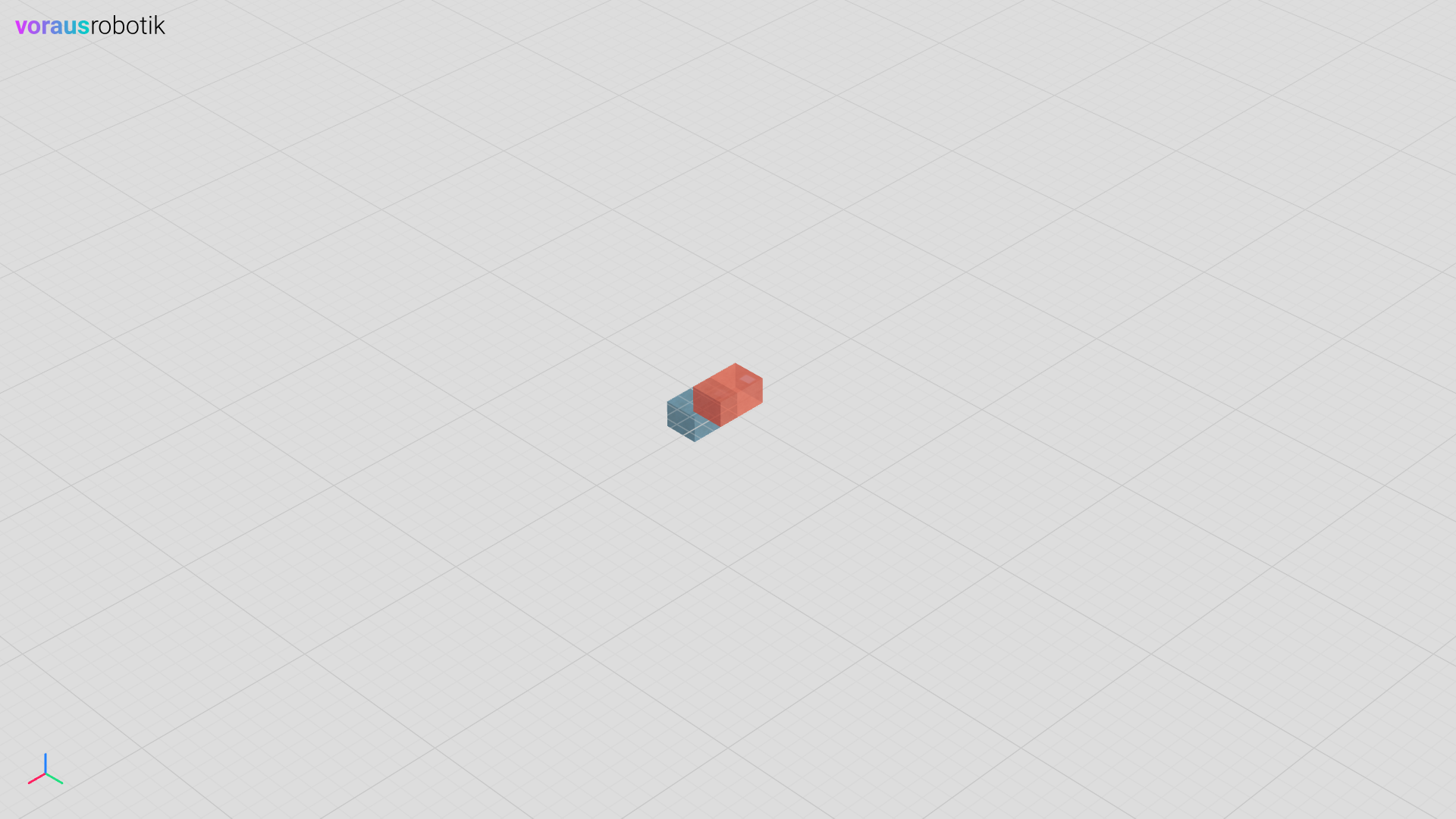
 1    visu = Visu(voraus_3d_visu, clear_all=True)
 2    box1 = visu.add_model(box_glb, position=[0, 0, 0.1])
 3    box2 = visu.add_model(box_glb, position=[0, 0, 0.1])
 4    box3 = visu.add_model(box_glb, position=[0, 0, 0.1])
 5    box4 = visu.add_model(box_glb, position=[0, 0, 0.1])
 6
 7    with visu.connection():
 8        visu.update(
 9            box1.position.x(1),
10            box2.position.y(1),
11            box3.position.z(0.3),
12            box4.position.xyz(1, 1, 0.3),
13        )
 1let mut visu = Visu::new(url, false, false, true, None)?;
 2let box1 = add_model(&visu, box_glb, [0.0, 0.0, 0.1])?;
 3let box2 = add_model(&visu, box_glb, [0.0, 0.0, 0.1])?;
 4let box3 = add_model(&visu, box_glb, [0.0, 0.0, 0.1])?;
 5let box4 = add_model(&visu, box_glb, [0.0, 0.0, 0.1])?;
 6
 7let mut connection = visu.connection()?;
 8connection.update(vec![
 9    box1.position().x(1.0),
10    box2.position().y(1.0),
11    box3.position().z(0.3),
12    box4.position().xyz(1.0, 1.0, 0.3),
13])?;
Rotation
This instruction updates the rotation of the object.
The Cartesian rotation values x, y and z can be updated individually or all together (xyz).
Rotations are defined by Euler(XYZ).
Example:
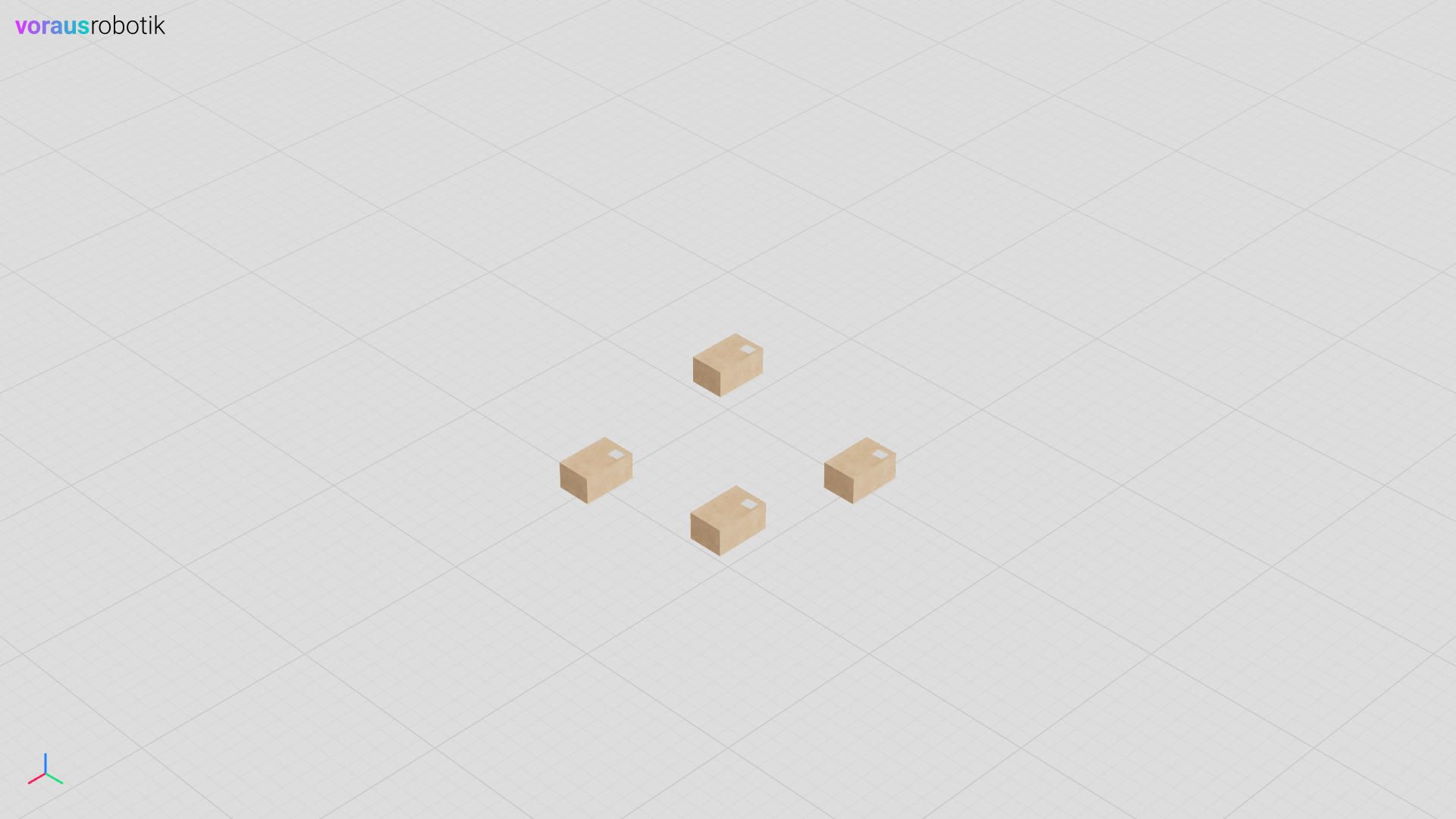
 1    visu = Visu(voraus_3d_visu, clear_all=True)
 2    box1 = visu.add_model(box_glb, position=[0, -0.75, 0])
 3    box2 = visu.add_model(box_glb, position=[0, -0.25, 0])
 4    box3 = visu.add_model(box_glb, position=[0, 0.25, 0])
 5    box4 = visu.add_model(box_glb, position=[0, 0.75, 0])
 6
 7    with visu.connection():
 8        visu.update(
 9            box1.rotation.x(1.57),
10            box2.rotation.y(1.57),
11            box3.rotation.z(1.57),
12            box4.rotation.xyz(1, 1, 1),
13        )
 1let mut visu = Visu::new(url, false, false, true, None)?;
 2let box1 = add_model(&visu, box_glb, [0.0, -0.75, 0.0])?;
 3let box2 = add_model(&visu, box_glb, [0.0, -0.25, 0.0])?;
 4let box3 = add_model(&visu, box_glb, [0.0, 0.25, 0.0])?;
 5let box4 = add_model(&visu, box_glb, [0.0, 0.75, 0.0])?;
 6
 7let mut connection = visu.connection()?;
 8connection.update(vec![
 9    box1.rotation().x(1.57),
10    box2.rotation().y(1.57),
11    box3.rotation().z(1.57),
12    box4.rotation().xyz(1.0, 1.0, 1.0),
13])?;
Quaternion
This instruction updates the quaternions of the object.
The values x, y, z and w are updated all together.
Example:
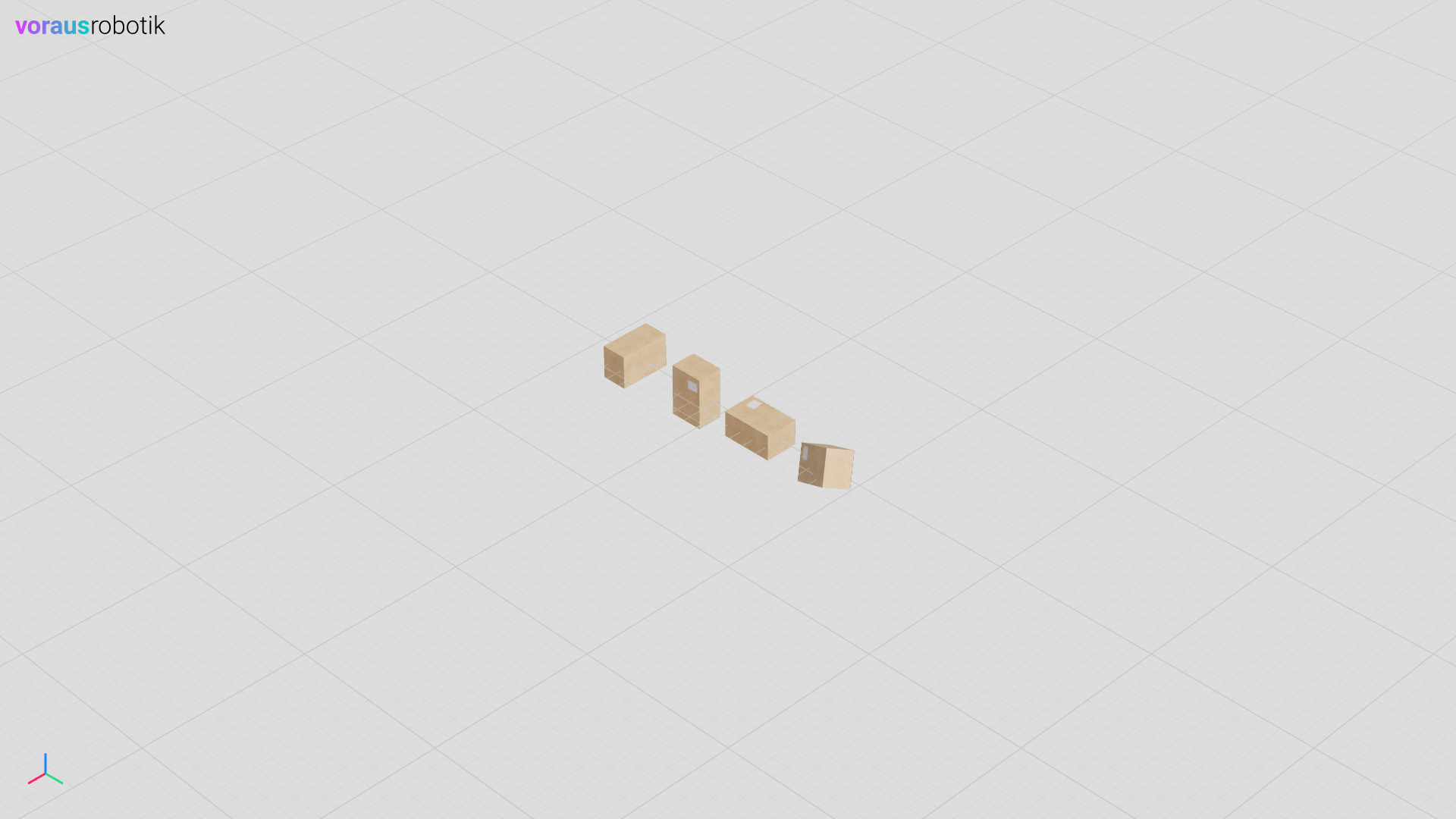
1    visu = Visu(voraus_3d_visu, clear_all=True)
2    box = visu.add_model(box_glb, position=[0, 0, 0])
3
4    with visu.connection():
5        visu.update(
6            box.quaternion.xyzw(0.653012, 0.270728, 0.6532274, 0.2712483),
7        )
1let mut visu = Visu::new(url, false, false, true, None)?;
2let box_model = add_model(&visu, box_glb, [0.0, 0.0, 0.0])?;
3
4let mut connection = visu.connection()?;
5connection.update(vec![box_model
6    .quaternion()
7    .xyzw(0.653012, 0.270728, 0.6532274, 0.2712483)])?;
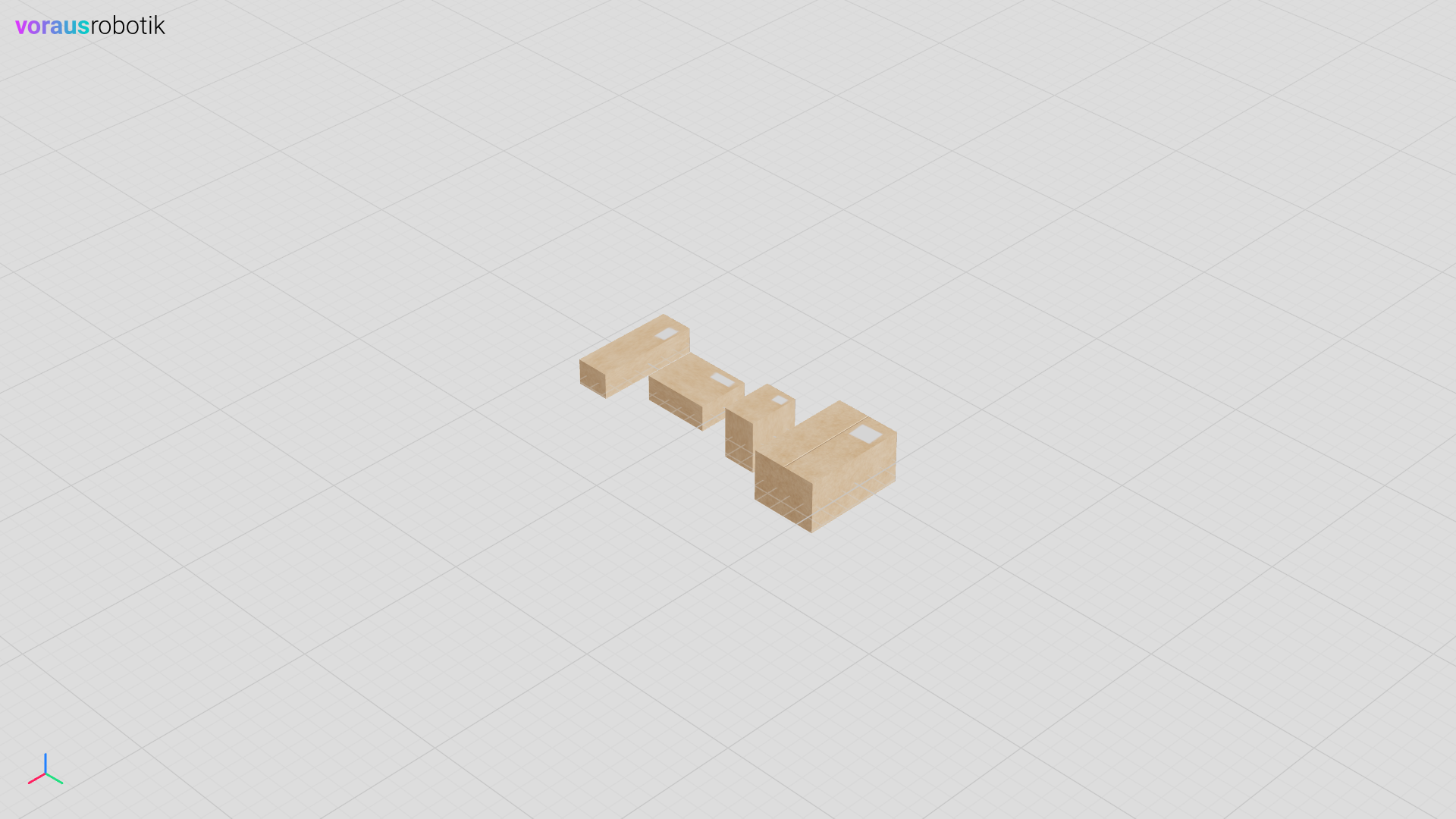
Scale
This instruction updates the scaling of the object.
The Cartesian scaling parameters x, y and z can be updated individually or all together (xyz).
Example:
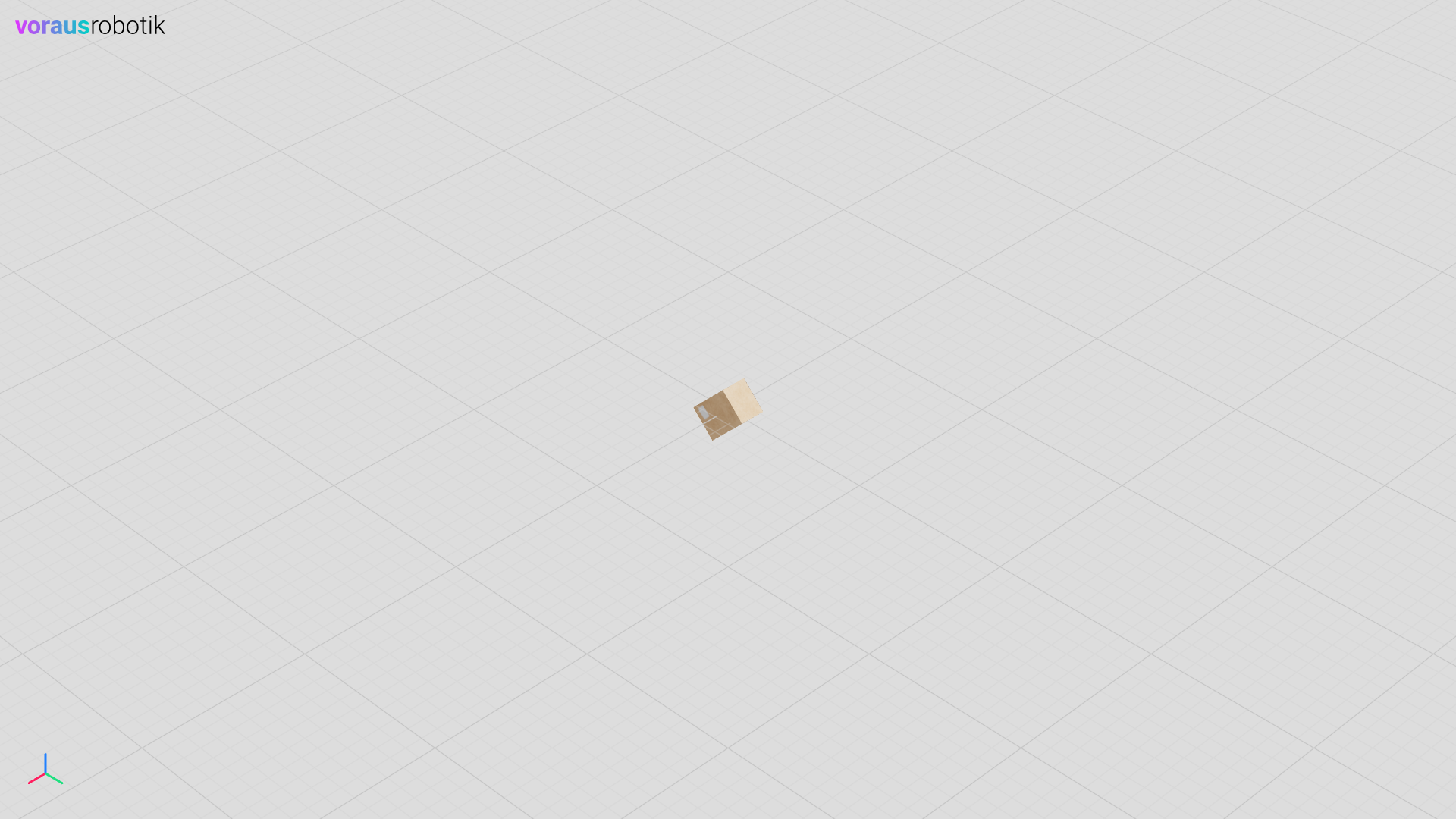
 1    visu = Visu(voraus_3d_visu, clear_all=True)
 2    box1 = visu.add_model(box_glb, position=[0, -0.75, 0])
 3    box2 = visu.add_model(box_glb, position=[0, -0.25, 0])
 4    box3 = visu.add_model(box_glb, position=[0, 0.25, 0])
 5    box4 = visu.add_model(box_glb, position=[0, 0.75, 0])
 6
 7    with visu.connection():
 8        visu.update(
 9            box1.scale.x(2),
10            box2.scale.y(2),
11            box3.scale.z(2),
12            box4.scale.xyz(2, 2, 2),
13        )
 1let mut visu = Visu::new(url, false, false, true, None)?;
 2let box1 = add_model(&visu, box_glb, [0.0, -0.75, 0.0])?;
 3let box2 = add_model(&visu, box_glb, [0.0, -0.25, 0.0])?;
 4let box3 = add_model(&visu, box_glb, [0.0, 0.25, 0.0])?;
 5let box4 = add_model(&visu, box_glb, [0.0, 0.75, 0.0])?;
 6
 7let mut connection = visu.connection()?;
 8connection.update(vec![
 9    box1.scale().x(2.0),
10    box2.scale().y(2.0),
11    box3.scale().z(2.0),
12    box4.scale().xyz(2.0, 2.0, 2.0),
13])?;
Parent
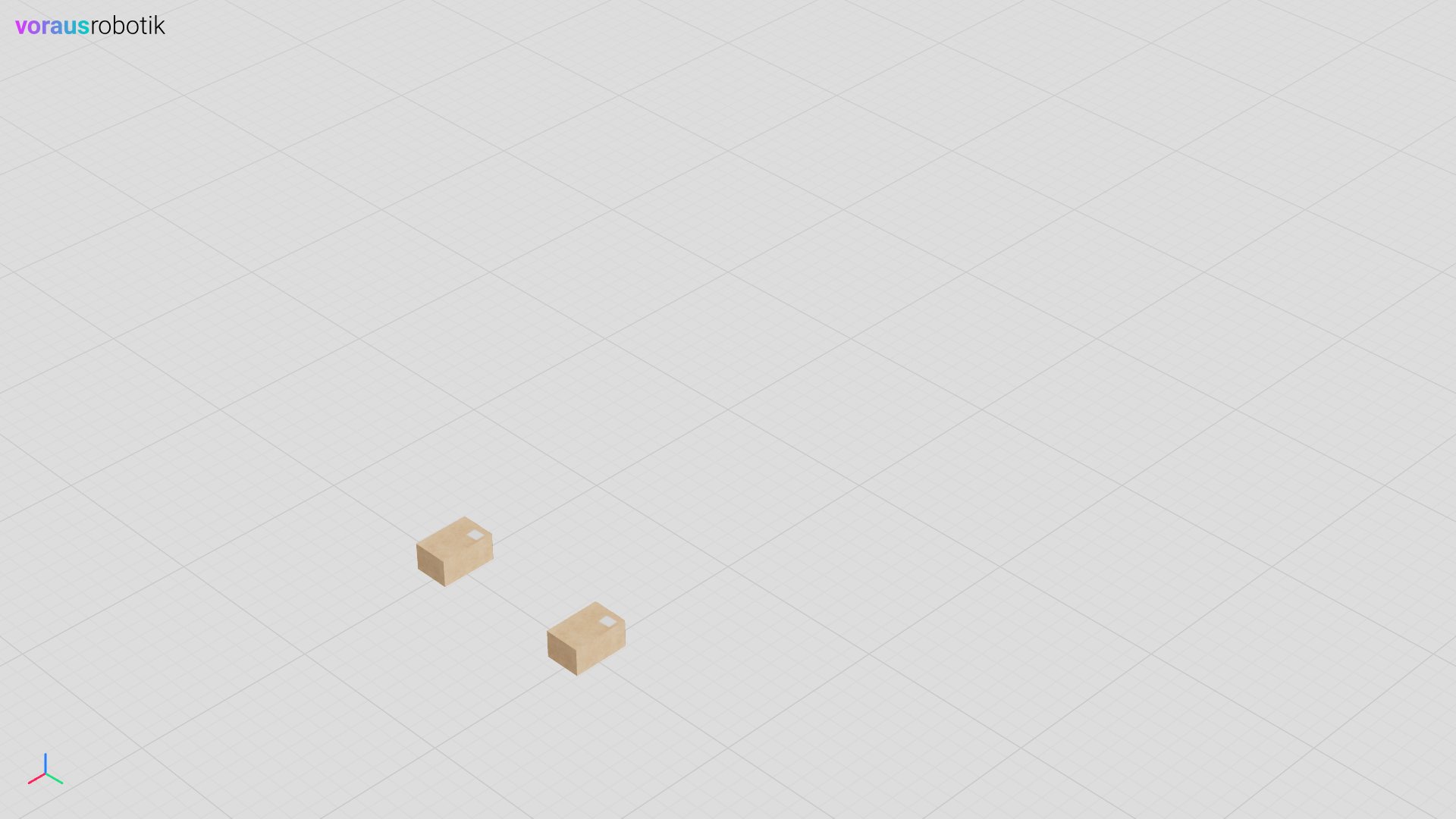
This instruction defines a new parent of the object.
Once coupled, all transformation instructions for a child are applied relative to the origin of the parent object.
Changes to the parent also apply to descending children.
Setting a parent to None decouples a child from its current parent.
Example:
1    visu = Visu(voraus_3d_visu, clear_all=True)
2    box1 = visu.add_model(box_glb, position=[0, 0, 0.1])
3    box2 = visu.add_model(box_glb, position=[0, 1, 0.1])
4
5    with visu.connection():
6        visu.update(
7            box2.parent(box1),
8            box1.position.x(2),
9        )
1let mut visu = Visu::new(url, false, false, true, None)?;
2let box1 = add_model(&visu, box_glb, [0.0, 0.0, 0.1])?;
3let box2 = add_model(&visu, box_glb, [0.0, 1.0, 0.1])?;
4
5let mut connection = visu.connection()?;
6connection.update(vec![box2.parent(Some(&box1)), box1.position().x(2.0)])?;
Visible
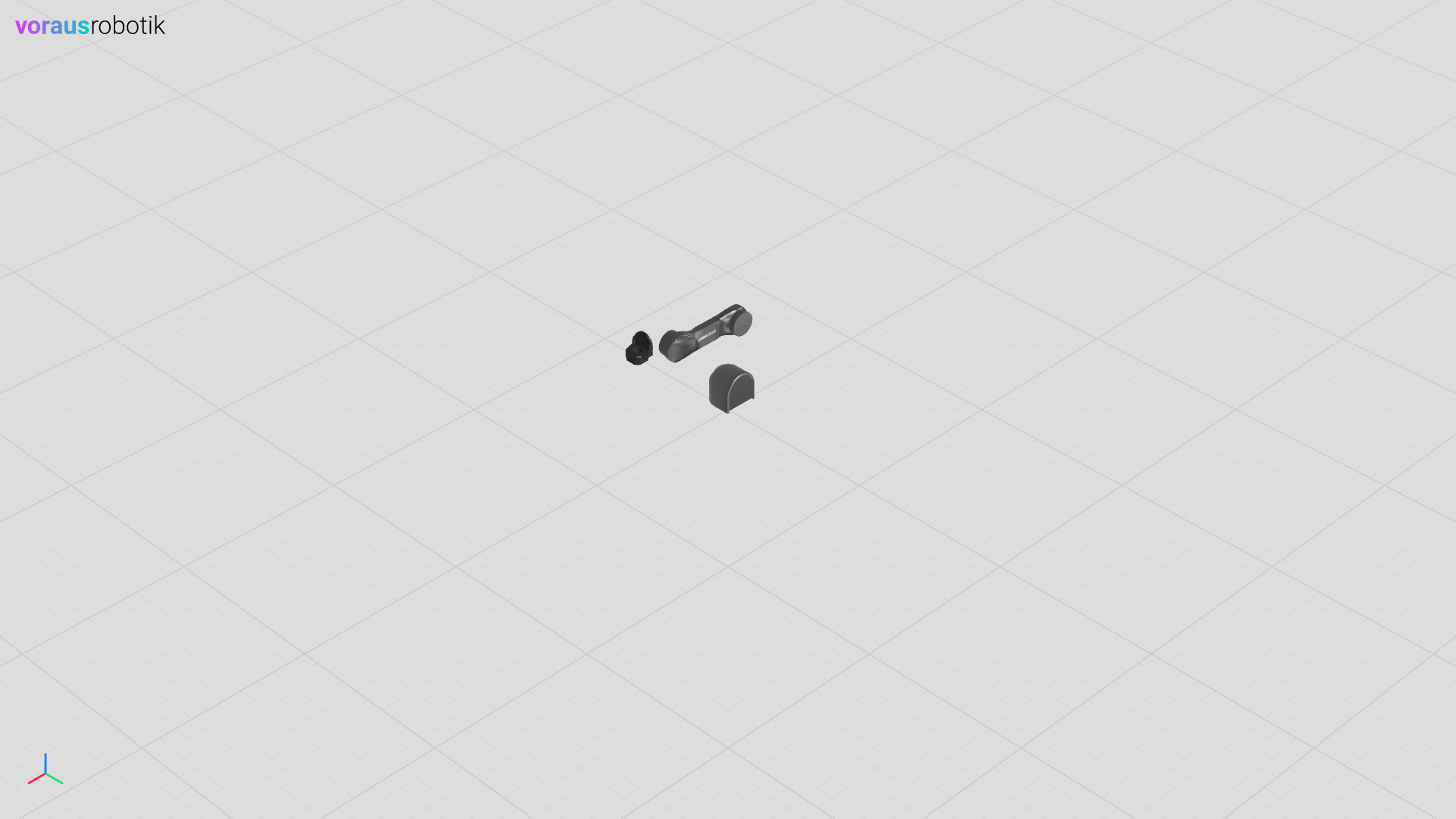
This instruction updates the visibility of the object.
Example:
 1    visu = Visu(voraus_3d_visu, clear_all=True)
 2    robot1 = visu.add_model(robot_glb, position=[0, 0, 0])
 3    robot2 = visu.add_model(robot_glb, position=[0, 1, 0])
 4
 5    with visu.connection():
 6        visu.update(
 7            robot1.child("Base").visible(False),
 8            robot1.child("Segment2").visible(False),
 9            robot1.child("Segment4").visible(False),
10            robot1.child("Segment6").visible(False),
11            robot2.visible(False),
12        )
 1let mut visu = Visu::new(url, false, false, true, None)?;
 2let robot1 = add_model(&visu, robot_glb, [0.0, 0.0, 0.0])?;
 3let robot2 = add_model(&visu, robot_glb, [0.0, 1.0, 0.0])?;
 4
 5let mut connection = visu.connection()?;
 6connection.update(vec![
 7    robot1.child("Base").visible(false),
 8    robot1.child("Segment2").visible(false),
 9    robot1.child("Segment4").visible(false),
10    robot1.child("Segment6").visible(false),
11    robot2.visible(false),
12])?;
Render Order
This instruction overrides the default draw-order sort. It is mainly relevant for transparent objects, where blending order against other transparent objects (e.g. two overlapping, coplanar objects) should be decided explicitly instead of by depth.
Render order does not cascade to children in the underlying renderer, unlike most other
object properties. Use render_order to set it on the object itself, or
render_order_recursive to also set it on all descending children.
Example:
 1    visu = Visu(voraus_3d_visu, clear_all=True)
 2    box1 = visu.add_model(box_glb, position=[0, 0, 0.1], unique_material=True)
 3    box2 = visu.add_model(box_glb, position=[0.2, 0, 0.1], unique_material=True)
 4
 5    with visu.connection():
 6        visu.update(
 7            box1.material.color.rgb(1.0, 0.2, 0.2),  # orange
 8            box1.material.transparency(0.6),
 9            box1.material.depth_test(False),
10            box2.material.color.rgb(0.1, 0.4, 1.0),  # blue
11            box2.material.transparency(0.6),
12            box2.material.depth_test(False),
13            box2.render_order(0),
14            box1.render_order(1),
15        )
 1let mut visu = Visu::new(url, false, false, true, None)?;
 2let box1 = add_model_unique(&visu, box_glb, [0.0, 0.0, 0.1], true)?;
 3let box2 = add_model_unique(&visu, box_glb, [0.2, 0.0, 0.1], true)?;
 4
 5let mut connection = visu.connection()?;
 6connection.update(vec![
 7    box1.material()?.color().rgb(1.0, 0.2, 0.2), // orange
 8    box1.material()?.transparency(0.6)?,
 9    box1.material()?.depth_test(false),
10    box2.material()?.color().rgb(0.1, 0.4, 1.0), // blue
11    box2.material()?.transparency(0.6)?,
12    box2.material()?.depth_test(false),
13    box2.render_order(0.0),
14    box1.render_order(1.0),
15])?;