
voraus Simulation
Simulation is a crucial part of developing your application: Write, test and optimize your automation task in Python. Run the production cell by deploying the same code used during testing. Risks of commissioning are reduced drastically, and software development is decoupled from hardware availability.
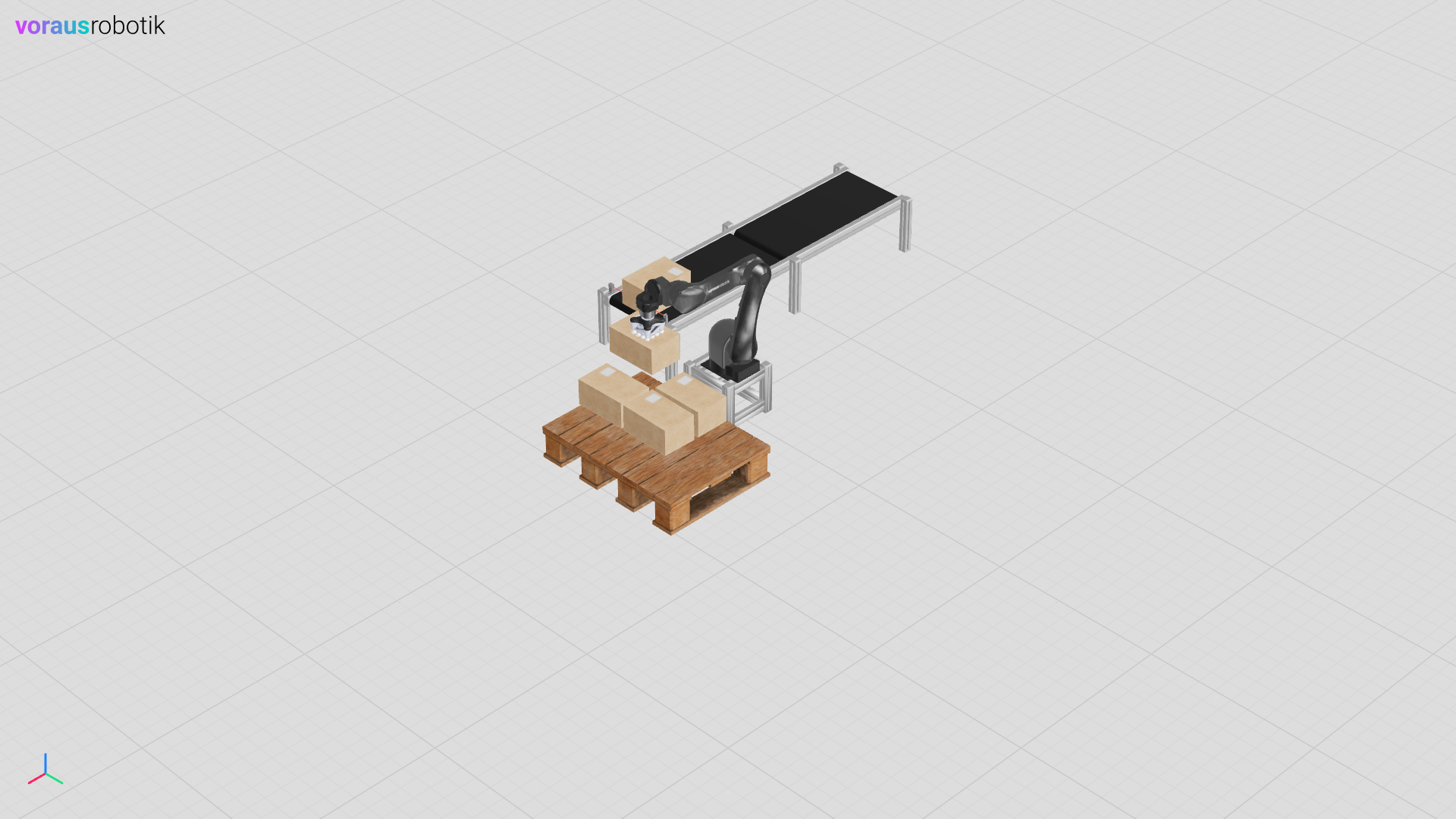
Fig. 1 The voraus Simulation of a pick and place application
The voraus Simulation is distributed as Python package (wheel) and as Docker image. Static and dynamic objects can be created with common 3D modeling tools if you can export Wavefront OBJ (.obj) for the physics models and glTF/GLB for the visual representation. More complex physical models are described using the URDF format and the behavior of the models is programmed using Python. One example of a simulation is seen in Fig. 1.
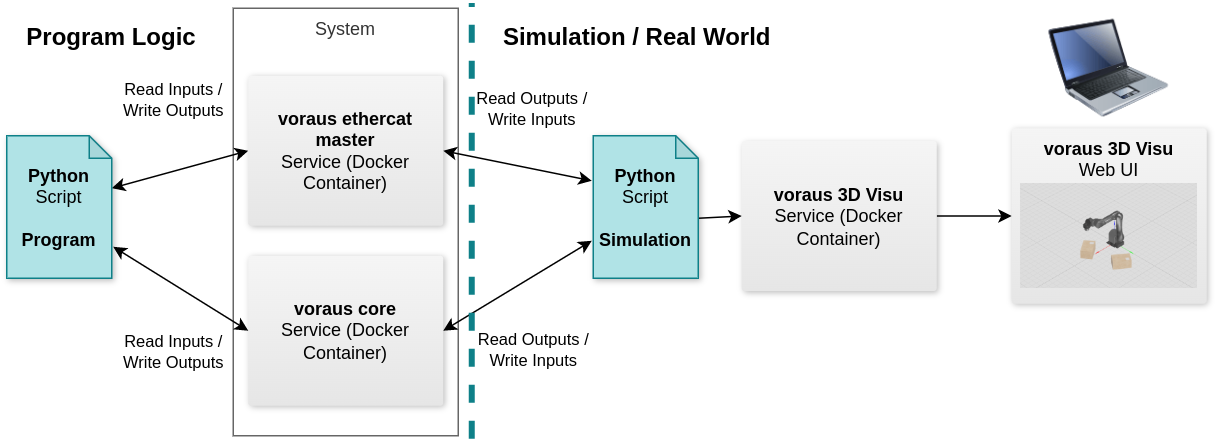
For the simulation, the real components such as the voraus.core or the voraus EtherCAT Master are operated in simulation mode. Outputs are written by the program and inputs are read, just like in the real system. A simulation script describes the behavior of the real system by reading the outputs of the components, calculating the reactions and physical processes, and then setting the inputs of the components. This has the considerable advantage that the program can be executed directly on the real system after the simulation. In addition, the simulation can be displayed with the voraus 3D Visu in the web browser. An overview of the voraus Simulation architecture is shown in Fig. 2.
Getting Started
voraus Simulation is part of voraus.pioneer, the development and simulation environment of the voraus software stack. It integrates with the voraus.core, which can be operated either virtually or on real hardware.
The easiest way to get started is the Pick and Place Example. It uses a preconfigured dev container that automatically starts all required services, so you can run your first simulation without any manual setup.
Note
If you do not have access to these examples, please contact the voraus support.
Requirements
License: voraus Simulation is part of voraus.pioneer and is covered by the voraus.pioneer license. You need a valid license key to run the simulation. If you have any questions regarding your license, please contact the voraus support.
CodeMeter User Runtime: For licensing, download it from the WIBU Website
Docker: Read more in the Docker documentation.
IDE: The examples use VS Code.
Dev Containers: The VS Code extension is used for the examples. If you are interested in further information, please read the articles Developing inside a Container and Dev Containers tutorial.