Installation
For an already running voraus.core, it is only necessary to apply the changes to the Docker Compose file as described in section Docker stack configuration. If you want to use a Roboception controller, please refer to section Installation on a rc_cube.
Docker stack configuration
If the voraus.core is already installed and running on a recommended UP Squared IPC or on your local device, the voraus Roboception can be activated directly. To do this, add the following to the Docker compose file:
environment:
    ...
    VORAUS__components__voraus-roboception-app__enabled: True
    ...
ports:
    ...
    - 5000:5000 # voraus-roboception-app
    ...
restart: unless-stopped
...
labels:
    - com.roboception.app.http.port=8080
The unless-stopped under restart makes sure that if the rc_cube is restarted, the software stack is as well.
Note
The default port of the voraus Roboception is 5000. It cannot be adjusted.
Installation on a rc_cube
Instead of running the voraus.core on a UP Squared IPC or a local device, it can also run on several Roboception controllers that come with the UserSpace feature. The list of Roboception controllers includes, but is not limited to:
rc_cube I Industrial Edge Computer
rc_cube S Edge Computer
You should already have access to the Web GUI of the Roboception controller. Use the rcdiscover tool provided by Roboception to initially connect to the camera and afterwards configure the network settings according to your needs. For further information on how to get access to the Web GUI, please refer to Roboception’s documentation.
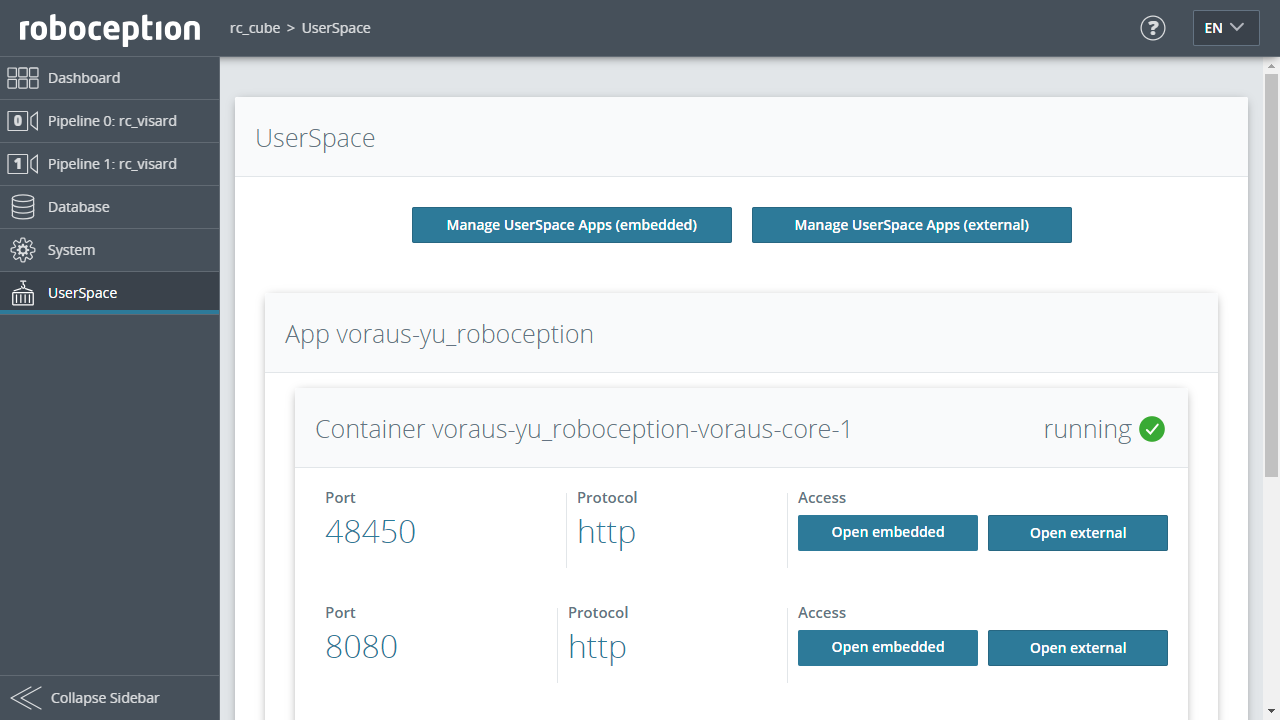
Open the Roboception Web GUI in your browser and navigate to the UserSpace section. The underlying Portainer UI can be accessed by clicking the Manage UserSpace Apps button. From here, please create your needed Docker compose file and include the additions from section Docker stack configuration.
Note
To run the voraus.core on the rc_cube, a license dongle is needed in order to run the voraus software.
Open the voraus.operator on an rc_cube
Once the voraus.core is configured inside the rc_cube’s Portainer UI, you can access the voraus.operator by navigating
to the UserSpace section and clicking either on the Open embedded or Open external button of the
voraus.core app, like shown in (roboception_userspace).
Opening the Portainer UI in an external window is not possible, if the Web GUI is accessed directly via a monitor connected to the Roboception device.